Google Pomelli vs Adobe Express: The Ultimate AI Design Showdown (2026)
Are you a founder looking for instant, automated brand consistency? Or a creative professional who needs pixel-perfect control? Discover the ultimate winner in our 2026 tech stack comparison.
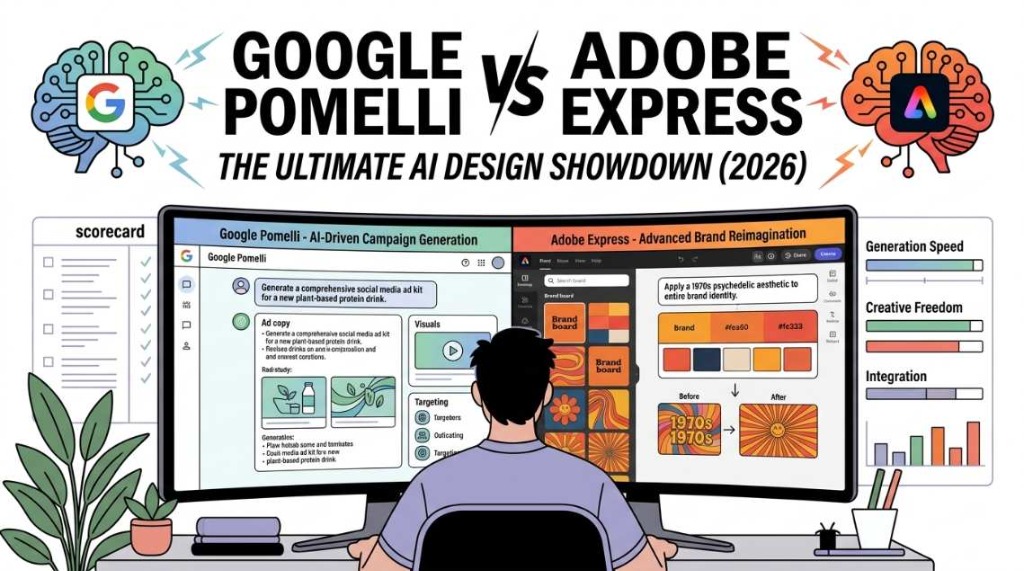
For years, the graphic design software industry was effectively a monopoly ruled by Adobe. However, the rapid acceleration of artificial intelligence has fractured that landscape. Today, digital marketers, small business owners, and creative directors are no longer asking how to design something, but rather which AI agent should design it for them.
In 2026, two distinct philosophies are battling for dominance in the creative software market. On one side, we have Adobe Express, a robust, template-driven platform supercharged by the commercially safe Adobe Firefly AI model, offering professional, layer-based control. On the other side, we have the disruptor: Google Pomelli AI, an experimental, automation-first marketing assistant developed by Google Labs and DeepMind that promises to extract your brand's "Business DNA" and generate complete campaigns in seconds.
Are you a founder looking for instant, automated brand consistency without touching a canvas? Or are you a creative professional who needs pixel-perfect control seamlessly integrated with Photoshop and Illustrator?
Here at pomelliai.co, our team of marketing experts has spent hundreds of hours stress-testing both platforms. In this comprehensive showdown, we will break down the exact differences between Google Pomelli and Adobe Express—comparing their brand onboarding, content generation speed, editing flexibility, AI models, and pricing—to help you determine the ultimate winner for your 2026 tech stack.
1. The Contenders: A Brief Overview
Before diving into the feature-by-feature battle, it is vital to understand the core mission behind each of these powerful tools. They approach the concept of "AI design" from completely opposite directions.
What is Google Pomelli AI?
Launched in late 2025 and expanded globally in March 2026, Google Pomelli is an experimental marketing tool designed specifically for small and medium-sized businesses (SMBs). It operates on an automation-first philosophy.
Rather than providing you with a blank canvas and asking you to drag and drop elements, Pomelli asks for your website URL. It scans your site, builds a "Business DNA" profile by extracting your hex colors, fonts, logos, and tone of voice, and then generates ready-to-publish social media campaigns, ad creatives, and product mockups based on that specific identity. It acts less like design software and more like an autonomous marketing agency.
What is Adobe Express?
Adobe Express is the accessible, cloud-based sibling to Adobe's heavyweight desktop applications (Photoshop, Illustrator, Premiere Pro). It operates on a template-first and professional-control philosophy.
Powered by Adobe Firefly, Express allows users to generate images from text, apply stunning text effects, and utilize "Generative Fill" to magically alter parts of a photo. It offers thousands of premium templates, massive stock photo libraries, and deep integration with the Adobe Creative Cloud ecosystem. While it utilizes AI heavily, it still requires the user to manually construct the layout, manage layers, and apply brand elements piece by piece.
2. Round 1: Brand Setup and Consistency Enforcement
The biggest challenge in digital marketing is not creating a single beautiful image; it is creating fifty images that all look like they belong to the exact same brand. How do these tools handle brand guidelines?
Adobe Express: Manual Mastery
Adobe handles branding through its "Brands" feature (similar to Canva's Brand Kit). To set this up, a user must manually upload their logo files (SVG/PNG), input their specific hex color codes, and upload or select their primary and secondary fonts.
Once set up, you can click a button to "Apply Brand" to a selected template, and Adobe Express will automatically shuffle the template's colors and fonts to match your kit. Furthermore, because it is tied to the Creative Cloud, your brand assets sync perfectly across your team's libraries.
The Flaw: It relies entirely on human discipline. The software will not stop a junior employee from ignoring the Brand Kit and using a generic neon-green font that destroys your brand consistency.
Google Pomelli: The Autonomous "Business DNA"
Pomelli obliterates the manual setup process.
- Fast Access Method: You can start by visiting our homepage at pomelliai.co and clicking the "Let's Get Started" shortcut button, which redirects you securely to the Google Labs portal.
- The Scan: You paste your website URL into Pomelli. In 30 to 90 seconds, the AI reads your site's CSS, extracts your dominant and accent colors, identifies your typography hierarchy, and uses DeepMind's Natural Language Processing (NLP) to interpret your brand's copywriting tone (e.g., formal, luxurious, or playful).
- The Enforcement: Once locked in, Pomelli's AI physically cannot generate a design that violates this Business DNA. Every generated Facebook ad or Instagram story mathematically adheres to your exact color palette and font pairing.
Winner of Round 1: Google Pomelli.
For sheer speed of setup and unbreakable consistency, Pomelli's automated DNA extraction is unparalleled.
3. Round 2: Speed vs. Granular Control
When it comes to the actual design process, the divide between the two platforms becomes incredibly clear. You must choose between velocity and pixel-perfect precision.
Google Pomelli: Unmatched Velocity
In Pomelli, you type a prompt describing your campaign (e.g., "Create a 3-day Instagram campaign for our new waterproof boots"). Within 60 seconds, Pomelli generates an entire suite of assets: square feed posts, vertical stories, landscape email banners, and the accompanying ad copy.
The Editing Limitation: Pomelli relies on conversational editing. If you want to change something, you type a prompt like "make the headline larger" or "swap the background for a rainy street". You cannot manually click a text box and drag it exactly 12 pixels to the left. It restricts granular control to prevent you from breaking the brand design rules. Heavy users have noted that this lack of deep control can sometimes make the outputs feel slightly "template-trained" or generic.
Adobe Express: Pixel-Perfect Precision
Adobe Express offers a traditional, layer-based canvas. You start with a template or a blank screen, generate your AI elements, and then take absolute control. You can group layers, apply complex blending modes (Multiply, Screen, Overlay), adjust opacity, and fine-tune typography with kerning and leading adjustments.
The Speed Limitation: Because you have to manually adjust elements, swap out images, rewrite the AI-generated text, and use the "Resize" tool to manually adjust the layout for different platforms (Instagram vs. LinkedIn), producing a full multi-channel campaign takes significantly longer.
Winner of Round 2: Tie.
If you are a solo founder who needs a campaign launched in 5 minutes, Pomelli wins. If you are a professional designer who demands absolute control over layout and composition, Adobe Express wins effortlessly.
4. Round 3: AI Image Generation and Product Photography
Generative AI is at the heart of both platforms, but the underlying models (Google's Nano Banana vs. Adobe Firefly) serve very different commercial needs.
Adobe Express (Firefly): The Commercial Standard
Adobe Firefly is widely considered the safest AI model for commercial use because it was trained exclusively on licensed Adobe Stock images, openly licensed content, and public domain content. This means enterprise brands do not have to worry about copyright infringement lawsuits when using Firefly-generated images.
Firefly excels at "Generative Fill" (brushing over an object to remove it or replace it) and creating stunning "Text Effects" (e.g., making your headline look like it is made of dripping chocolate or fuzzy fur).
Google Pomelli (Nano Banana 2): The E-commerce King
Pomelli utilizes the highly advanced Nano Banana 2 model, specifically tailored for product photography and marketing contexts.
The Photoshoot Feature: This is where Pomelli delivers massive ROI. Small businesses can upload a messy, poorly lit smartphone picture of their physical product. Pomelli perfectly extracts the 3D geometry of the product and places it into a hyper-realistic, studio-quality lifestyle environment (like a marble countertop with natural ground shadows) that matches your Business DNA. It effectively replaces a $5,000 professional product shoot for e-commerce brands.
Winner of Round 3: Google Pomelli for E-commerce; Adobe Express for Enterprise Safety.
Pomelli's Photoshoot feature is a game-changer for businesses selling physical products. However, Adobe's strict copyright safety makes it the mandatory choice for large, risk-averse corporations.
5. Round 4: Video and Animation Capabilities
Static images are rapidly losing engagement across social media. Both tools have recognized the need to shift toward motion, but their approaches differ drastically.
Adobe Express: Timeline Editing
Adobe Express includes a robust, traditional video editor right in the browser. You can drag and drop video clips onto a timeline, trim them, add transition effects, layer music tracks, and apply basic animation paths to your text and graphic elements. It is excellent for creating reels and TikToks if you already have video footage to edit.
Google Pomelli: Cinematic AI Generation
Pomelli takes a generative approach to video. Instead of a complex timeline editor, it integrates Google DeepMind's Veo 3.1 video model via its "Animate" feature.
You simply select a static ad graphic you generated in Pomelli and click "Animate." The AI interprets the depth of the image and adds cinematic camera movement, parallax effects, and realistic physics (like making a dress flow in the wind or water ripple). It outputs high-definition videos up to 148 seconds long with zero video editing skills required.
Winner of Round 4: Google Pomelli.
For non-video editors, the ability to turn a static AI image into a cinematic motion video with one click using Veo 3.1 is an unbelievable advantage.
6. Round 5: Ecosystem and Distribution
Creating the content is only half the battle; getting it in front of your audience is the other.
Adobe Express: The Creative Cloud Hub
Adobe Express is deeply intertwined with the Adobe Creative Cloud. If an agency creates a complex vector logo in Adobe Illustrator or a multi-layered PSD in Photoshop, those files can be imported directly into Adobe Express. Team members can tweak the text in Express without needing to open the heavy desktop apps. Furthermore, Adobe Express features a built-in Content Scheduler, allowing you to plan and auto-publish your creations directly to Instagram, Facebook, LinkedIn, and Pinterest.
Google Pomelli: Asset Generation Island
As of its current beta phase in 2026, Pomelli is strictly an asset generator. It does not have a built-in social media scheduler. You cannot link your Meta or LinkedIn accounts. You must download the generated assets (often packaged conveniently in a ZIP file) and manually upload them to your native platforms or third-party schedulers. However, its integration with Google Drive and potential future native links to Google Ads Manager make it highly promising for the Google ecosystem.
Winner of Round 5: Adobe Express.
The seamless integration with professional design software and the inclusion of a native social media publisher makes Adobe Express a much more complete, end-to-end management tool.
7. The Ultimate Comparison Data Table (2026)
To summarize the technical differences, review this side-by-side data matrix compiled from extensive testing by our team at pomelliai.co:
| Feature / Capability | Google Pomelli AI | Adobe Express (Firefly) |
|---|---|---|
| Core Philosophy | Automation-First (AI does the work) | Template-First (Human controls the design) |
| Brand Setup | Automatic: URL extraction (Business DNA) | Manual: Upload hex codes, fonts, logos |
| Design Control | Conversational (Prompt-based adjustments) | Granular (Layers, vectors, blend modes) |
| Content Output | Multi-channel packages (Ads + Social + Copy) | Single-canvas designs (Images + Video) |
| Copywriting | High-quality, tailored to brand tone | Basic AI text generation (Magic Write) |
| Product Photography | Advanced: "Photoshoot" background synthesis | Standard: Generative Fill and background removal |
| Video Capabilities | Cinematic AI Generation (Veo 3.1) | Timeline-based video editing & transitions |
| Social Publishing | No: Manual download & upload | Yes: Built-in Content Scheduler |
| Language Support | English Only (Currently in Beta) | Multilingual Support |
| Current Pricing | 100% Free (During Google Labs Beta) | Freemium (Premium starts ~$9.99/mo) |
8. Pricing and ROI Evaluation
For small businesses, budget allocation is critical.
Adobe Express operates on a Freemium model. While the free tier offers basic templates, to unlock the true power of the platform—including the Brand Kit, premium Adobe Stock assets, and extensive Firefly generative credits—you must upgrade to the Premium plan, which costs roughly $9.99 per month. For teams, costs scale per seat.
Google Pomelli, because it is currently an experimental product under the Google Labs umbrella, is 100% Free. Following the massive March 2026 update, it is now available globally (including in India) without a VPN. You gain unlimited access to enterprise-grade DeepMind models, Nano Banana 2, and Veo 3.1 without spending a dime. The ROI for a bootstrapped startup using Pomelli is essentially infinite, saving thousands on design and photography retainers.
9. Conclusion: The 2026 Verdict
So, in the ultimate AI design showdown, who takes the crown? The answer depends entirely on your role in the marketing ecosystem.
Choose Adobe Express If...
You are a professional graphic designer, an agency art director, or part of a large enterprise team that already uses the Adobe Creative Cloud. If you need absolute, pixel-perfect control over layers, require commercially safe AI generation for global billboard campaigns, and want an all-in-one tool to schedule your posts, Adobe Express is unbeatable.
Choose Google Pomelli AI If...
You are a startup founder, an e-commerce brand, or a solo marketer who lacks design skills and is overwhelmed by content demands. If you need to generate perfectly branded, cross-platform campaigns in 60 seconds, or if you want to turn a messy smartphone picture into a $5,000 studio-quality product shot for free, Google Pomelli is the greatest growth hack of 2026.
The Master Strategy: The Hybrid Workflow
Why choose just one? The most elite digital marketers in 2026 are using both. They start by feeding their URL into Google Pomelli to establish their Business DNA and rapidly generate baseline campaign concepts, ad copy, and high-fidelity product imagery. They then download those assets and pull them into Adobe Express for final, pixel-perfect layout adjustments and to utilize Adobe's automated social media scheduler.
Want to master this exact hybrid workflow and scale your business to the next level? Bookmark pomelliai.co for the latest prompt templates, expert AI marketing strategies, and deep-dive software tutorials!
Frequently Asked Questions (FAQs)
1. Is Google Pomelli better than Adobe Express for beginners?
Yes, Google Pomelli is significantly easier for absolute beginners. Because it uses an "automation-first" approach, you do not need to understand layers, typography matching, or layout design. You simply provide your website URL, and Pomelli generates the entire branded campaign automatically. Adobe Express, while user-friendly, still requires some basic design intuition to arrange templates effectively.
2. Can I use Pomelli AI to design a logo from scratch?
No, Pomelli is not a logo creator. It is designed to extract your existing branding (including your current logo) from your website and apply it to marketing materials. If you need to design a logo from scratch with vector control, Adobe Express or Adobe Illustrator is the proper tool for the job.
3. Does Adobe Express have a feature like Pomelli's "Business DNA"?
No. Adobe Express requires you to manually build a "Brand Kit" by uploading your logo files, selecting fonts from their library, and typing in your specific hex color codes. Pomelli automates this entire process by algorithmically scanning your live website and extracting those elements in seconds.
4. Which tool is better for e-commerce product photography?
Google Pomelli is vastly superior for e-commerce product photography due to its specialized "Photoshoot" feature powered by the Nano Banana 2 model. It can accurately extract a physical product from a smartphone photo and synthesize photorealistic studio backgrounds, accurate reflections, and dynamic lighting that matches your brand style.
5. Are the images generated by these tools safe for commercial advertising?
Adobe Express (via Adobe Firefly) is widely considered the gold standard for commercial safety, as its AI was trained exclusively on licensed and public domain content. Google Pomelli's outputs are also intended for commercial use, but because it is an experimental Google Labs product, enterprise brands with strict legal compliance requirements often prefer the indemnification guarantees provided by Adobe's ecosystem.